
Questions & Answers
How does it work?
The Fluid Flux simulation implementation is based on the Shallow Water Equations (SWE) solver. The algorithm was published by Matthias Müller in “Real-time Simulation of Large Bodies of Water with Small Scale Details”. Simulation is calculated on a heightfield mesh, meaning all obstacles are rendered to a heightmap using a top-down projection. Fluid flows in the X and Y directions between grid cells that describe the volume of water. Forces that move fluid are calculated based on the difference in the ground and water heights between neighboring cells. The coastline system uses a signed distance field to represent the water-ground edge intersection and renders animated wave profiles based on wave motion.
Why is the price so high? Can you offer any promotions or discounts?
- Creating Fluid Flux required over three years of research and development. Typically, a system of this nature would cost a company at least 350,000 USD. The current price makes it a significant time- and cost-saving solution for everyone.
- This kind of system requires substantial support, especially for ongoing engine updates. Since I have other products on my marketplace profile, my time is currently limited. I have already quit my regular job to focus entirely on developing and improving products.
- The asset combines several significant features that work together, making your development process more seamless. You no longer need to purchase multiple separate products and spend time integrating them. It includes a ripple-solver simulation, shallow-water fluid simulation, water-surface rendering, ocean-wave generator, buoyancy support, waterline effects, post-processing capabilities, coastline rendering, and even support for Niagara particles. I have handled all these aspects, so you don’t have to worry about them.
- Please check my marketplace profile to confirm that I am a trustworthy creator with hundreds of positive reviews. The price of my products is always determined based on the work and time required to develop them. Eventually, you will realize that time is a genuine currency with significant value.
- There will be a promotional sale, but first, I must feel ready to support more customers. If you are not in a rush, add my product to the wishlist and wait patiently. If you want to be notified a few days in advance of a promotional sale, join my Discord server.
- I am not forcing anyone to buy my product. There are alternatives like Niagara Fluids and the Water Plugin. You can try them for free and compare the results with my demo. Maybe you don’t even need Fluid Flux. Choose wisely.
Integrations with ALS, UDS and Fluid Ninja
I plan to work on some integrations in the future. If you have a specific pack in mind, let me know.
See also Compatibility → Third-party plugins.
What about VR and mobile?
VR and mobile devices are currently not supported. Dynamic fluid simulations with high precision can’t be computed on mobile devices, so only baked meshes/states can be used on this platform. I am planning to add VR and mobile support in future updates. The pack will receive a cheap surface material mode similar to the solution presented in Aquatic Surface. One user notified me that my demo maps are working without issues on Oculus Quest 2, but I haven’t tested it yet, so I can’t confirm.
See also Compatibility → Platforms.
How do I add swimming to ALS?
This task heavily depends on the character implementation, so I can’t provide an ALS implementation. The Fluid Flux BP_FluxDataComponent delivers all the data you need to implement swimming. I’ve also prepared an example swimming implementation (BP_FluxSwimmingComponent) for the default engine mannequin, so you can check it out and learn from it. See Player character → Swimming component.
Why blueprints? Is Fluid Flux slow because of that?
This system is fully implemented in blueprints but relies mainly on GPU (shaders/render targets). Yes, it might be faster in C++, but it would also stretch the development time. The cost of blueprint code will be reduced using Niagara in the future, making it work even better.
Is the Water plugin supported?
The Water Plugin is not supported. Combining my water material with the Water Plugin mesh is possible, but not officially supported.
See also Compatibility → Third-party plugins.
Do I need this pack? Is it better than the Water Plugin, Oceanology or Aquatic Surface?
It depends on your specific requirements. Fluid Flux excels at creating dynamic river simulations on heightfields and interactive scenes, but doesn’t scale very well. If you only need a background ocean without detailed simulations, you might not want to go through the trouble of using simulations. However, Fluid Flux 2.0 introduces a new coastline domain system that can handle landscapes of up to 10 km × 10 km and provides an infinite ocean. I recommend playing the Fluid Flux demo to better understand whether it aligns with what you’re looking for.
If you can’t see why you would purchase Fluid Flux, you probably don’t need it. I’ve prepared a simple comparison of Fluid Flux and my other product, Aquatic Surface, that visualizes the difference:
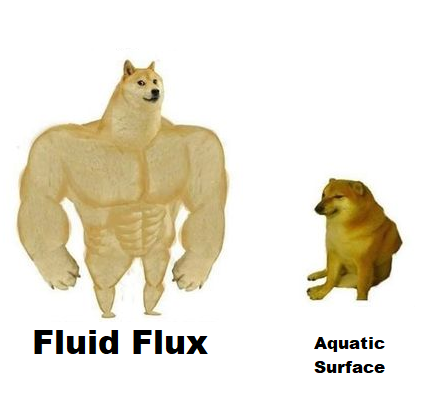
That does not mean Aquatic Surface is bad. It’s a great product with a completely different feature set. You have to choose a product that fits your requirements.