
Player character
The demo maps showcase the features of Fluid Flux with the help of example classes like BP_DemoCharacter, which provide a fully functional implementation of the character interacting with water. The Fluid Flux build for UE 5.3+ uses Enhanced Input, which implements character input inside the project.
Character-related implementation is simplified to a minimum and encapsulated in separate classes, making the transfer of implementation even more straightforward. This document does not provide a detailed step-by-step description of implementing the character, but highlights the components and features used. More detailed descriptions can be found in the sections dedicated to these tools:
| Component | Description |
|---|---|
FluxDataComponent | Used for extracting surface information (velocity, height, and volume) from the water system. Provides that to other systems. |
FluxInteractionComponent | It generates waves after interaction on the water surface. |
FluxBuoyancyComponent | Character floating on water. Activates only when the character switches to a ragdoll state. |
FluxSwimmingComponent | Implements swimming movement. It changes the character’s state when it’s in water and can swim (not ragdoll). |
FluxDriverComponent | Implements communication between the vehicle and the character, which allows possession. |
FluxModifierForceComponent | Simulation modifier that moves water around the character only inside the domain area. |
The easiest way to investigate how components are used in the character is to right-click the component and choose Find References – the engine will show you all the places where it is used.
Disabling the help panel
After running the demo, you will notice the help panel located in the bottom right corner of the screen, which is helpful for testing features in the maps. The panel is added automatically. If you use an example character in your project and want to remove this HUD, you can do it in one of the following ways:
Add the ToggleVisible node to the BeginPlay event of FluidFluxPlayerController.
Remove the “Create
BP_Hud” node from the player controller.Switch the game mode (controller) in your level from the demo to your game controller.
Swimming component
In general, swimming is not a prominent feature of this product; it is more of an additional example that presents one of many ways to do it. The swimming example is demonstrated in DemoCharacter and requires several components to function properly.
- Swimming requires a PhysicsVolume on the map with
PhysicsVolume→ Water Volume = true. It activates swimming when the character is inside. - The swimming system requires
Character.BP_FluxDataComponent, which provides data from the water. BP_FluxSwimmingComponentimplements the movement for you and controls the required CharacterMovement component.- Right-click
BP_FluxSwimmingand choose Find References to see how it is controlled using input. - The swimming animation depends on the character animation blueprint implementation and will vary in every project, so there are many ways to implement it. My simple example switches animation when SwimmingState is detected in SwimmingComponent.
Vehicle driver
Fluid Flux includes a vehicle pawn actor that can be possessed and controlled. The actor BP_FluxBuoyancyVehiclePawn is a template for the vehicle that can be inherited and implemented as needed.
The vehicle system supports many valuable features:
- Smooth physics replication with quantization
- Smooth camera movement with adjustment to direction
- Jump force action
- Enhanced input
- Customizable movement
- Interaction trails
- Possessed by the closest character (attaching player)
An example of the use of the vehicle class is implemented in the BP_FluxBoatPawn actor placed on demo maps.
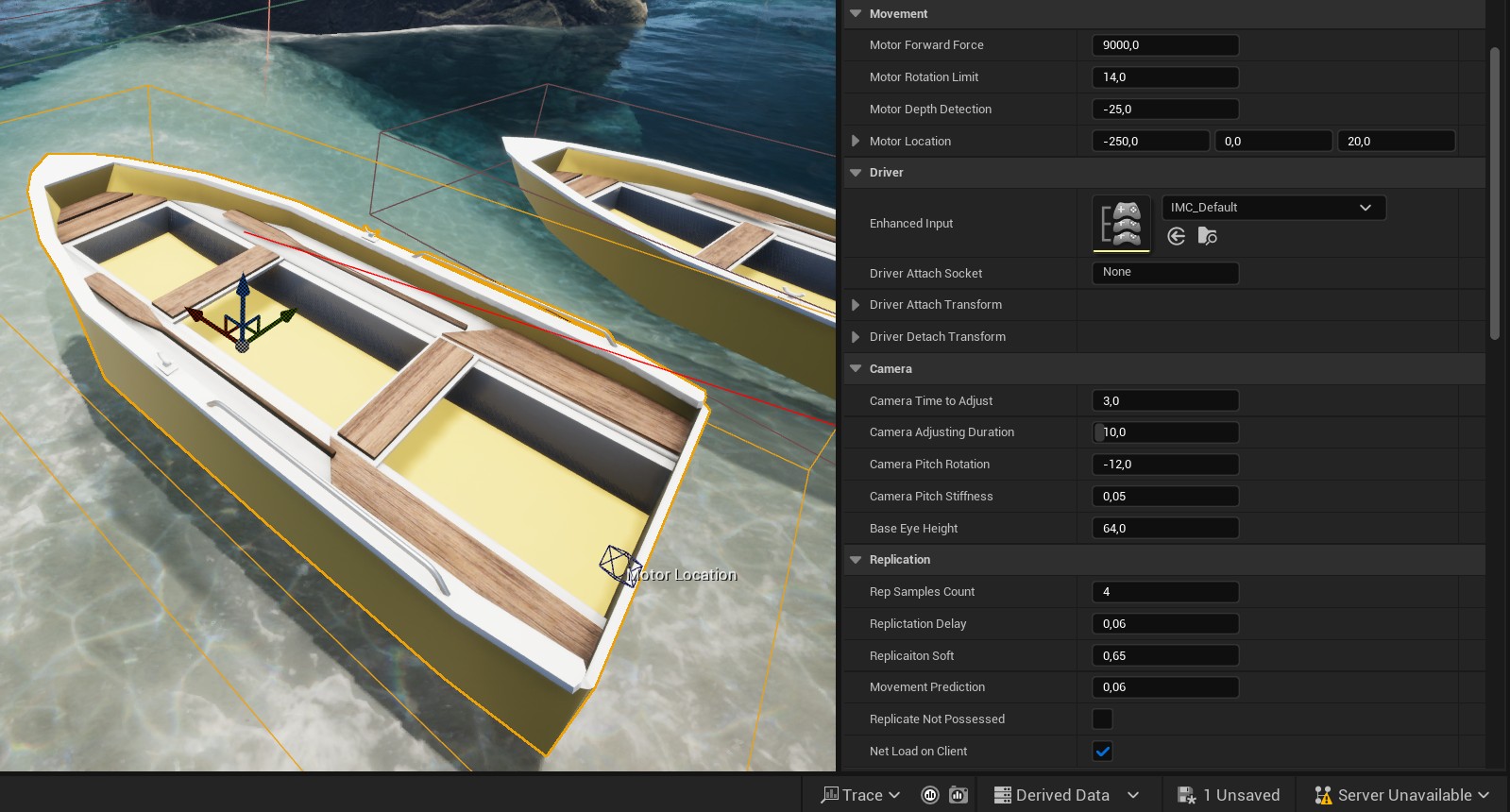
Motorboat properties that users can adjust.
The movement of the motorboat vehicle is implemented in the function UpdateSteering, which converts the input to the motor force applied to the virtual location of a propeller in the water. All the input is replicated, and the system also implements a custom synchronization of the vehicle’s physical body.
The possessing system requires adding BP_FluxDriverComponent to the player pawn. This class binds OnInteractionEvent, which executes when the input is activated. This simple class bridges the vehicle and the driver.